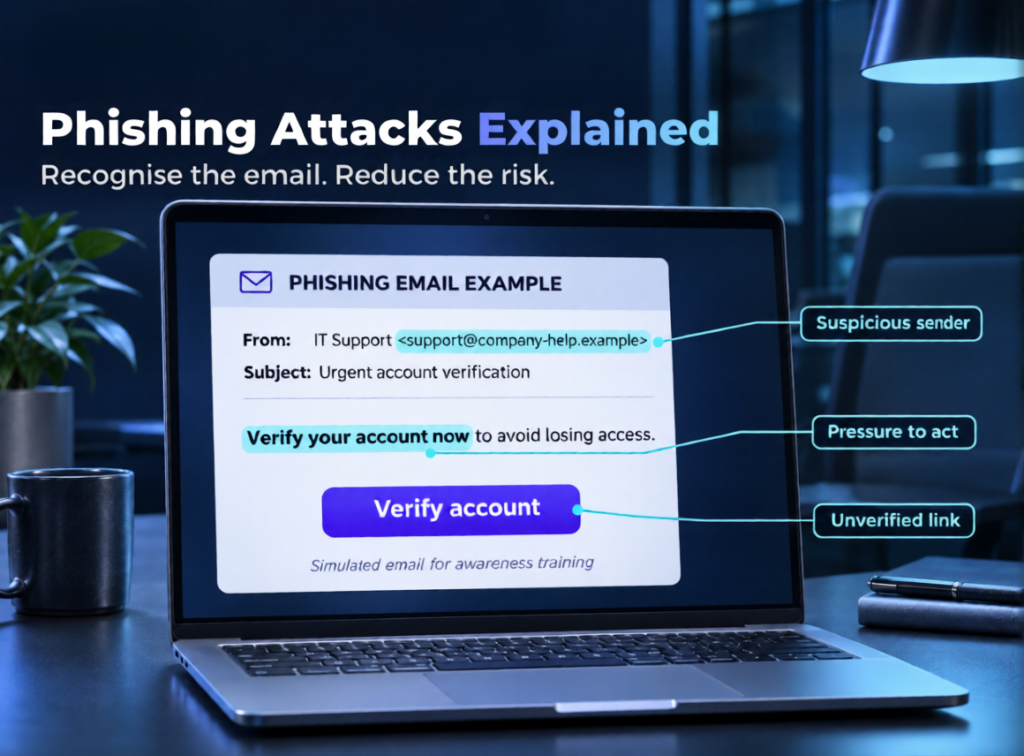
Have you ever received an email that looked completely genuine but asked you to click a suspicious link or share confidential information? This could be a phishing attack, one of the common threats facing modern businesses.
Phishing attacks use fake emails, messages, websites and other communication methods to steal sensitive information, access business accounts or distribute malware. Businesses can reduce these risks through employee awareness, email security, multi-factor authentication and continuous threat monitoring.
In this guide, we explain how phishing attacks work, their common warning signs, how businesses can detect them and practical ways to prevent them.
What Is a Phishing Attack?
A phishing attack is a social engineering technique in which attackers impersonate trusted individuals, companies or organisations to trick people into sharing confidential information.
These attacks commonly target:
- Business email accounts and passwords.
- Financial and payment information.
- Customer and employee records.
- Company systems and sensitive documents.
- Administrative and cloud accounts.
A successful phishing attempt can lead to financial loss, unauthorised access, data breaches and operational disruption.
Common Types of Phishing Attacks
Phishing can happen through several communication channels. Understanding these methods helps businesses recognise suspicious activity.
| Type | How It Works |
| Email Phishing | Fake emails imitate trusted organisations to steal information. |
| Spear Phishing | Personalised messages target specific employees or executives. |
| Whaling | Attackers target senior executives and decision-makers. |
| Smishing | Fraudulent SMS messages contain malicious links or requests. |
| Vishing | Attackers use phone calls to obtain confidential information. |
| QR Code Phishing | Fake QR codes redirect users to harmful websites. |
| Business Email Compromise (BEC) | Attackers impersonate executives or suppliers to handle payments or sensitive business transactions. |
How to Identify a Phishing Email
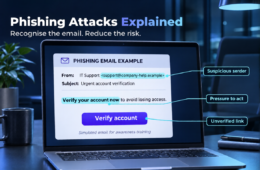
Recognising suspicious messages is an important part of phishing attack detection. Even professional-looking emails can carry warning indications.
Look for these common indicators:
- Unknown Sender: The sender’s address contains unusual characters or a misleading domain.
- Urgent Requests: Messages pressure employees to act immediately.
- Suspicious Links: URLs redirect to unfamiliar or fake websites.
- Unexpected Attachments: Files request downloads or unusual permissions.
- Sensitive Information Requests: Emails ask for passwords, payment details or confidential records.
- Unusual Communication: A familiar contact suddenly requests an unexpected payment or account change.
Employees should verify unusual requests through a separate, trusted communication channel before taking action.
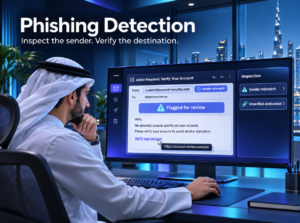
How Can Businesses Detect Phishing Attacks?
Businesses need a combination of technology, employee awareness and security monitoring to identify phishing attempts.
1. Monitor Suspicious Emails
Use email security solutions to identify suspicious senders, malicious attachments, spoofed domains and harmful links.
2. Check Email Authentication
Implement SPF, DKIM and DMARC to help protect business email domains against spoofing and unauthorised sending.
3. Use Security Monitoring
Monitor email activity, login attempts and unusual account behaviour. Security teams can investigate suspicious activities before they develop into larger incidents.
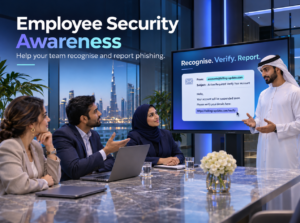
4. Train Employees
Conduct regular phishing awareness sessions and simulated phishing exercises. Employees should know how to identify and report suspicious messages.
5. Review Security Alerts
Investigate unusual login locations, unexpected password resets, suspicious mailbox rules and unauthorised access attempts.
How to Prevent Phishing Attacks in Businesses
An effective phishing attack prevention strategy combines technical controls and clear internal security procedures.
| Security Measure | Business Benefit |
| Multi-Factor Authentication (MFA) | Adds another verification layer to user accounts. |
| Email Security Filters | Helps block suspicious emails and malicious attachments. |
| Employee Awareness Training | Improves recognition and reporting of phishing attempts. |
| Endpoint Protection | Helps detect malicious activity on business devices. |
| Regular Security Assessments | Identifies weaknesses in existing security controls. |
| Incident Response Planning | Helps teams respond quickly to security incidents. |
Businesses should also maintain updated software, restrict unnecessary access privileges and regularly review their security policies. These measures are relevant to organisations operating across Dubai, Riyadh, Saudi Arabia and the UK, where protecting business information and maintaining operational security are important priorities.
What Should You Do If an Employee Clicks a Phishing Link?
A quick response can help limit the impact of a phishing incident.
Follow these steps:
- Report the Incident: Inform the IT or security team immediately.
- Secure the Account: Reset compromised passwords and revoke suspicious sessions.
- Isolate Affected Devices: Disconnect potentially compromised devices from business networks where appropriate.
- Investigate the Activity: Review email logs, login records and endpoint alerts.
- Remove the Threat: Block malicious URLs, senders and attachments.
- Review the Incident: Identify how the attack occurred and strengthen the relevant security controls.
Do not assume that closing the browser or deleting the email resolves the incident. A security investigation may still be necessary.
Why Businesses Need Professional Cybersecurity Support
Phishing attacks continue to evolve, making basic email protection insufficient for organisations handling sensitive information. Professional cybersecurity support helps businesses assess security weaknesses, improve threat detection and establish effective incident response procedures.
CyberWaze Global provides cybersecurity consulting and managed security services, including security monitoring, incident response, threat intelligence and vulnerability management. Its security services help organisations strengthen their security posture and improve their ability to identify and respond to cyber threats.
Cyber Awareness – Learn to Recognise Phishing Threats
Cyber awareness is an essential part of business protection. Employees who understand common attack techniques can make better security decisions and report suspicious activities earlier.
Watch our CyberWaze Global video, “CyberStudio at GISEC Global 2026 | Georgios Partasides | Cyprus, Business & The Digital Future,” to explore insights into business, technology and the digital future, and learn more about the evolving cybersecurity landscape.
View Our Latest Youtube Podcast
Latest Cybersecurity Updates from CyberWaze Global
Stay informed about cybersecurity awareness, emerging threats and practical security recommendations through our latest social media updates.
Follow CyberWaze Global on Linkdin
Conclusion
Phishing attacks remain a significant security challenge for businesses, making prevention, early detection and employee awareness essential. By implementing strong email security, multi-factor authentication, regular training and effective monitoring, organisations can reduce their exposure to cyber threats. CyberWaze Global helps businesses strengthen their security posture through professional cybersecurity consulting and managed security services. Stay informed, improve your security readiness and protect your business against evolving threats.
Frequently Asked Questions
Q1. What is the main purpose of a phishing attack?
The main purpose is to trick individuals into sharing sensitive information, revealing login credentials, transferring money or accessing malicious websites.
Q2. What are the most common signs of a phishing email?
Suspicious sender addresses, urgent requests, unexpected attachments, misleading links and requests for confidential information are common warning signs.
Q3. How can businesses prevent phishing attacks?
Businesses can use email security filters, MFA, employee awareness training, domain authentication and continuous security monitoring.
4. What should I do if I tick a phishing link?
Report it immediately, avoid entering further information, secure potentially affected accounts and contact your IT or security team for investigation.
Q5. Can phishing attacks affect large organisations?
Yes. Organisations of every size can be targeted. Large businesses may face additional risks because of their valuable data, financial operations and complex digital environments.